List Examples
Bulleted list
- List item goes here
- List item goes here
- List item goes here
Bulleted list with sub items
- List item goes here
- List item goes here
- List item goes here
- List item goes here
- List item goes here
- List item goes here
Numbered list with sub items
- List item goes here
- sub item
- sub item
- sub item
- List item goes here
- sub item
- sub item
- sub item
- List item goes here
Adding a List Block
Method 1 – Use a forward slash (/) and then type out “List”. The list block should show up.
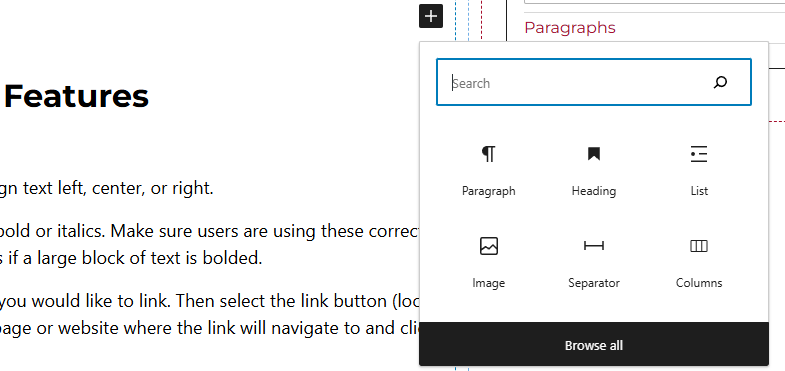
Method 2 – After selecting the editor, the user should see a + icon. Selecting this should show a list of the most common blocks used. If the list block is not there, use the search feature to find it.
List Block Features
Selecting Entire List
Toolbar
- Type of List – Users will have the capability of creating an unordered list or an ordered list.
Side Panels
After selecting the entire list block, the user will see the following options on the right hand panels:
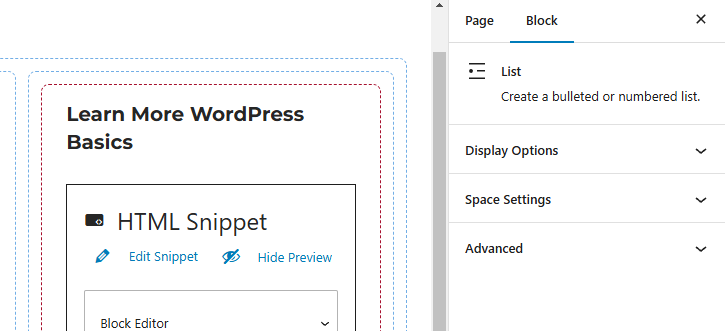
- Display Options – Selects the amount of columns the user would like the list to be. For example, if there is a long list of items, users can convert the single column list up to 4 columns.
- Space Settings – Users can add margin to the list blocks. This is usually done to add more spacing around text so they are not too close to other elements.
- Advanced – Allows users to add anchor tags to the text, schedule the block, position the block, and hide the block on a specific breakpoint.
- Block Scheduling (if enabled) – Allows block to be scheduled. This causes the block to be published or unpublished depending on the date selected.
Selecting Individual List Item
Toolbar
- Indentation – Capability of adding sub list items to the list.
- Bold and Italics – Make the text bold or italics. Make sure users are using these correctly as it can cause accessibility issues if a large block of text is bolded.
- Linking Text – Highlight the text you would like to link. Then select the link button (looks like a link). Enter the URL of the page or website where the link will navigate to and select enter.