The WordPress dashboard is organized into different sections. These sections can be accessed through the left hand side menu.
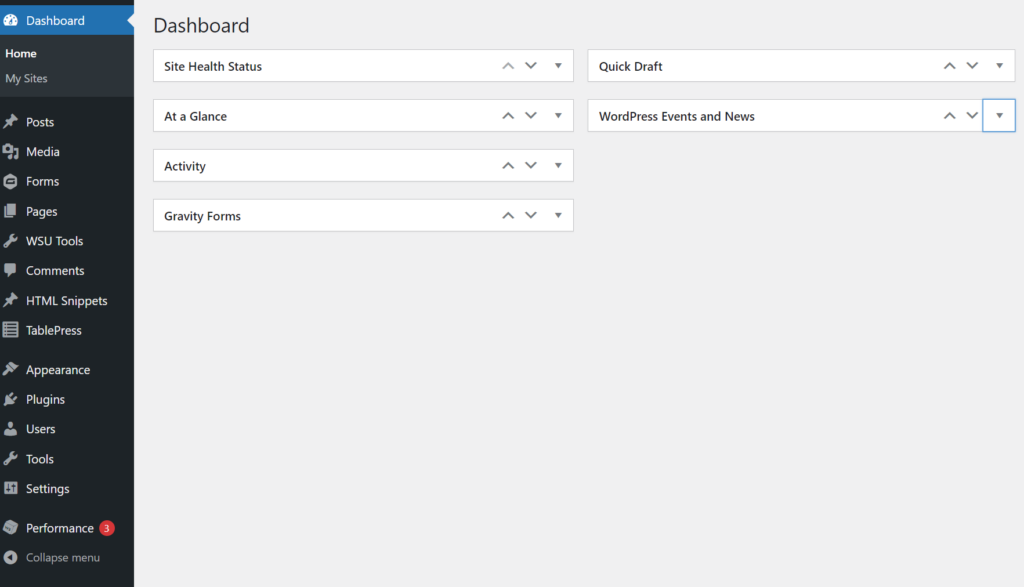
Posts
- The Posts section is where users will be able to manage blog entries.
- Users will be able to create, edit, or delete posts, and categorize or tag them for better organization.
Media
- The media library houses all uploaded files (PDFs, images, documents).
- Users can add/delete items and also categorize media files similar to posts/pages.
Forms (Plugin)
- Create contact forms for a website.
Pages
- Manage static pages like the about and contact page.
- Similar organization options as posts, with access to categories and tags.
Comments
- Overview of managing comments, including moderation features like approval and spam filtering.
- Not all websites have comments enabled.
HTML Snippets
- Plugin that is used to add repeatable content on a website.
- This plugin also allows users to create content on one website and use it on another.
- Changing the Snippet on the main website, will change it on all the websites it exists on.
TablePress
- Plugin that provides functionality for creating and managing tables on a website.
Appearance
- Themes: Explains that the theme is pre-set and should not be changed.
- Customize: Access to layout changes, such as menu positioning, color scheme, and sidebar options.
- Widgets: Configure various sidebar or footer widgets.
- Menus: Organize the website’s navigation.
- Other settings (e.g., Custom JavaScript, CSS) depending on user permissions.
Plugins
- Overview of managing plugins (activate/deactivate) to add functionality to the site.
- Explanation that certain options may vary based on user role.
Users
- Manage all user accounts and assign roles (Administrator, Editor, Author, etc.).
Tools
- Import/Export: Transfer content to or from other sites.
- Site Health: Monitor site performance and optimization.
- Redirects: Redirects for outdated or removed pages to avoid 404 errors.
Settings
- Overview of settings, typically pre-configured upon setup.
- Various site-wide options like site title, tagline, permalinks, and discussion settings are available here.